Steam Tags Explained: How to Choose Tags for Your Indie Game
October 30, 2026
Of Dice and Minions: Roll Five Dice, Raise an Army, Survive 100 Floors
November 1, 2026
Steam Demo Guide: Building a Demo That Turns Players Into Wishlists
A Steam demo is a free, separate app linked to your game, and its most valuable moment is the first two weeks after it goes live: that is the only window in which Steam lets you notify everyone who has the full game on their wishlist. So build the demo around one hook that lands early, end it on a wishlist prompt, and have the full game’s store page live as Coming Soon before the demo releases. Below is how Steam handles demos, how a demo differs from a playtest and from Next Fest, and what we look for when we play one.
How a demo works on Steam
All of this comes from the Steamworks documentation on demos.
- It is its own app. A demo gets a separate App ID linked to the full game. You create it from the base game’s landing page (“Add Demo”), and it has its own release checklist, builds and review.
- Two ways to show it. You choose either a separate demo store page or assets only, shown on the base game’s page. A separate page needs a trailer and at least five screenshots specific to the demo, capsules that say it is a demo, and its own content survey. Demo players can leave reviews there, but a demo never gets its own community hub.
- The button on your main page. The base page shows a Download Demo button, either in the right sidebar or as a larger green box in the centre, set under “Associated Demos”. You have to re-publish the base store page yourself for the button to appear.
- Where players find it. Demos can appear anywhere a free game can, including New and Trending, tag pages and genre pages.
- Saves and achievements. Valve recommends shared Steam Cloud storage so demo saves carry into the full game, and suggests turning achievements off in the demo and granting them after purchase.
- Multiplayer. Steam does not match demo players with full-game players.
- You can switch it off. A released demo can be deactivated and reactivated, for example for a limited-time event.

The rule to plan around
You get one wishlist notification, within 14 days
When the demo first releases, Steam lets you send an email and mobile notification to everyone who has the full game wishlisted. You can trigger it once, and only within two weeks of the demo’s first release. There is also a two-week cooldown per App ID, so keep it at least two weeks away from other triggers such as a discount on a package that contains the game.
If you release a demo months before Steam Next Fest, you spend that notification then. The Next Fest documentation is explicit: there is no second opportunity at the email.
Demo, playtest or Next Fest
A Steam Playtest is for testing
A Steam Playtest is also a separate child app, but it has no store page: players sign up from your main game’s page. Signup is limited by default, you can switch it to open, and you are typically capped at 2,500 Release State Override keys. Joining or leaving a playtest does not touch a player’s wishlist. Use it for builds you want feedback on but do not want reviewed in public.
Next Fest needs a public demo
For Steam Next Fest, the demo has to be released before the festival starts. Valve asks you to submit it for review no later than five weeks before the festival if you want it live for the press preview, and no later than three weeks before otherwise. It does not require the demo to be new or exclusive, and it encourages you to release it at least 30 minutes before the start so you can fix problems. Our article on Steam Next Fest February 2027 has every date for the next edition.
So when do you release?
Valve says releasing early and releasing for Next Fest are both valid. The trade-off is the notification. An early demo collects wishlists for months, and a demo held for the festival arrives with its one email still unspent. Pick the version where that email lands on the bigger audience.
What makes a demo turn into wishlists
Valve’s own advice on demos comes down to quality, timing and length: the demo should match the real game, and it should offer enough to excite players without showing everything. The rest of this section is our view, from playing more than 100 demos for the IndiePump newsletter during Steam Next Fest in June 2026.
- Reach the hook within five minutes. A player trying many demos in one evening decides fast, so a long tutorial before the first real choice costs you.
- Show the core loop, then stop. End on a moment that makes the full game feel necessary, before the content runs thin.
- Ask for the wishlist on the last screen. Steamworks lets you open the store page from inside the demo through the Steam overlay, and Steam already shows demo players a link to the full game in their library.
- Carry progress over. A player who buys and has to start again has been charged twice in time.
- Test with strangers. Valve’s build review checks that the game runs and has the features you list. The Next Fest documentation says it is not a full QA process and will not look for most bugs.
- Leave it up. Valve notes that players are disappointed when demos disappear right after a festival. If you plan to switch it off, say so on the page.

Before you press Release Demo
- The full game’s store page is live as Coming Soon, so the demo has somewhere to send wishlists
- Demo capsules, screenshots and trailer say “demo”, if it has its own page
- A wishlist or store link sits in the menu and on the final screen
- Saves use shared Steam Cloud, achievements are off
- The base page is re-published with the demo under Associated Demos
- You know which day inside the first 14 days you will send the wishlist notification
- Your press kit links the demo, so creators can play it without asking for a key
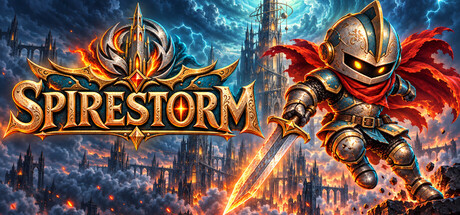
These three games on IndiePump.space all have a free demo on Steam right now, and each press kit lets creators request a key.
Demos on IndiePump.space you can play today
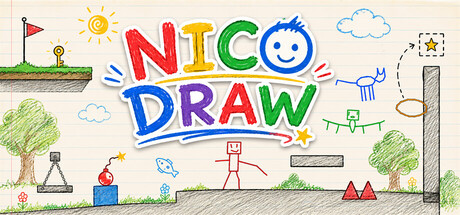
 Demo available

How IndiePump can help with your demo
If you want outside players to break your demo before Steam’s audience does, our QA and playtesting service exists for that. For the store page the demo points to, see our Steam page setup service, and to get the demo in front of press and creators, our PR and email outreach. A free press kit page on IndiePump.space is the simplest place to start.
For developers
Put your game in front of 300+ content creators
Every game on IndiePump.space gets a free press kit page where streamers and writers request review keys, and you decide who gets one.

Follow IndiePump