How to Write a Video Game Press Release Journalists Will Read
November 3, 2026
TikTok for Indie Games: A Posting Plan for a Small Studio
November 5, 2026
Indie Game Trailer: Steam Rules, Structure and What It Costs
Valve does not set a length for a Steam trailer. What it does set: upload up to 1920 x 1080, at 30 or 60 frames per second, at 5,000 Kbps or more, ideally H.264 video with AAC audio at 44 or 48 kHz. It also tells you that your first trailer should be “primarily gameplay,” that the first two trailers play before any screenshot, and that a viewer may give you less than 10 seconds, possibly with the sound off. Cost runs from nothing, with free tools and your own footage, to vendor quotes of $1,000 for a simple trailer and $20,000 or more for a minute of 3D animation. Below are Valve’s rules, a structure that works inside them, and the published prices.
Steam’s technical requirements

Upload settings from Steamworks
- Resolution: the highest you have, up to 1920 x 1080. Common sizes such as 1280 x 720 avoid processing problems.
- Frame rate: 30/29.97 or 60/59.94 fps.
- Bitrate: 5,000 Kbps or higher.
- Files: .mov, .wmv or .mp4, with H.264 video and AAC audio preferred.
- Aspect ratio: 16:9 preferred, 4:3 accepted.
- Audio: 44 kHz or 48 kHz. Other sample rates are a common cause of failed uploads, and Steam mixes everything down to stereo.
Source: the Steamworks trailer documentation.
What Steam does with your trailers
- Order: you drag trailers into order. The first two valid trailers appear before your screenshots, and the rest come after them.
- Microtrailer: Steam cuts a 6-second looping microtrailer from your first visible trailer. You cannot customize it, which is one more reason the first trailer should open on gameplay.
- Thumbnails: Steam generates a 600 x 380 poster and a 232 x 130 thumbnail. You can upload your own as a 1920 x 1080 frame from the video, and Valve says to avoid text on it.
- Categories: General or Cinematic, Teaser, Gameplay, and Interview or Dev Diary.
- Languages and ratings: you can set a language for each trailer and restrict a trailer by country, which helps when a version is rated by PEGI or the ESRB.
- Processing: uploads convert in a first-in, first-out queue, and you cannot release while a trailer is still converting. Deleting and re-uploading sends it to the back of the queue.
Valve’s page does not say whether trailers autoplay or start muted. It does say a customer may be watching “without any audio,” so build the trailer to work with the sound off. If you are entering Steam Next Fest in February 2027, note that Steam pulls trailers for the official festival trailer on 18 January, according to the edition page. Our Next Fest guide has the full calendar.
A structure that works inside those rules
Valve’s warning about the first 10 seconds decides most of the structure. The steps below are how we would build a first store trailer. The examples come from Derek Lieu, a trailer editor who publishes his re-edits of indie trailers on his blog.
Seconds 0 to 10: the core action
Open on the thing the player does most, from the player’s view. Valve adds that it is “often beneficial” to keep the in-game HUD visible in gameplay videos. A HUD tells a viewer what kind of game this is before any text does. In his August 2026 makeover of the Sheepherds trailer, Lieu’s re-edit opens with a full ten seconds of dogs herding sheep, the core of the game, and holds the title until the camera pulls out.
Next: the goal
Show why the player does it. In his April 2026 makeover of Dosa Divas, Lieu argues that a montage of exploring, fighting and upgrading falls flat until the viewer knows what it is all for, and his re-edit adds dialogue that sets up what the heroes believe and who stands against them.
Then: one mechanic at a time
Layer the mechanics in the order a player meets them, and give each one long enough to understand. The Sheepherds re-edit shows basic herding first, then colour changes, then hazards, and Lieu notes that the new shots “take its time.” Cosmetics and extra modes can wait for the second half.
Throughout: make it work muted
Short text cards carry the goal for viewers without sound. Keep them few and large, and never let one cover the gameplay it describes.
The end: title and what to do next
Close on the logo and the one fact a viewer needs: the release window, or that a demo is out. The trailer will travel to YouTube, to press and to festival reels, so put the essential information in the picture.

On length
Valve sets no length, and neither do we
We found no length rule from Valve and no public study we would trust. A practical test: cut every shot that does not show something new. A first trailer that has made its point and keeps going is losing viewers it already won. Put a longer gameplay video in the second slot, which still shows before the screenshots.
What a trailer costs
The two price guides we could open come from studios that sell trailers, so read them as their own price lists.
- Alconost lists $1,000 to $2,000 for a low-budget trailer, $2,000 to $3,000 for mid-budget and $3,000 and up for high-budget. It prices by scene, with each scene lasting 5 to 15 seconds on average. The page has no date.
- Pixune, updated on 5 July 2026, puts a one-minute trailer at $5,000 or more for 2D animation and $20,000 or more for 3D, and $10,000 to $50,000 or more for high-quality productions.
Both quotes include scripting, storyboarding and sound work. Animation is what pushes them up. A gameplay trailer cut from your own capture needs less of it, and you can make one with free tools: OBS Studio records, and DaVinci Resolve has a free version for editing, with the Studio edition at $236. The real cost of doing it yourself is the time it takes to capture clean footage, which is also the part an editor cannot do without you.
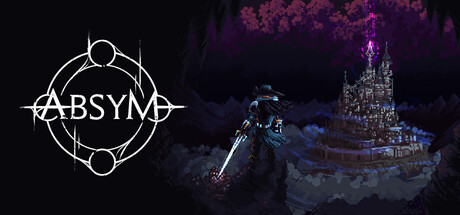
Ballistic Brews puts its gameplay trailer in the first slot and its official trailer second, the gameplay-first order Valve recommends. Neoblazer follows its official trailer with 12 minutes of gameplay, and Absym keeps to a single trailer.
Watch their trailers, then request a key

 Demo available

How IndiePump can help
Your trailer sits at the top of your store page, and our Steam page setup service covers that page. If the trailer is ready and you want creators to see it, our PR and email outreach is the next step, or talk to us.

For developers
Put your game in front of 300+ content creators
Every game on IndiePump.space gets a free press kit page where streamers and writers request review keys, and you decide who gets one.

Follow IndiePump